SepiaDoc · for Windows 10 and 11

Everything you open Acrobat for. Free at home.

Work with PDFs right on your machine. You can edit, sign, sort and redact the files without sending data to a server. Using this tool at home is completely free.

Freefor personal useOfflinenothing is uploadedWindows 10 & 11about 200 MB
01 / Edit

Change the words, keep the look.

Pick any paragraph and replace the text with your own. SepiaDoc maintains the original PDF's font, size, and color while keeping every other part of the page intact. You can also reposition, resize, or insert images, as well as include text boxes that wrap to the space you draw.

More about edit
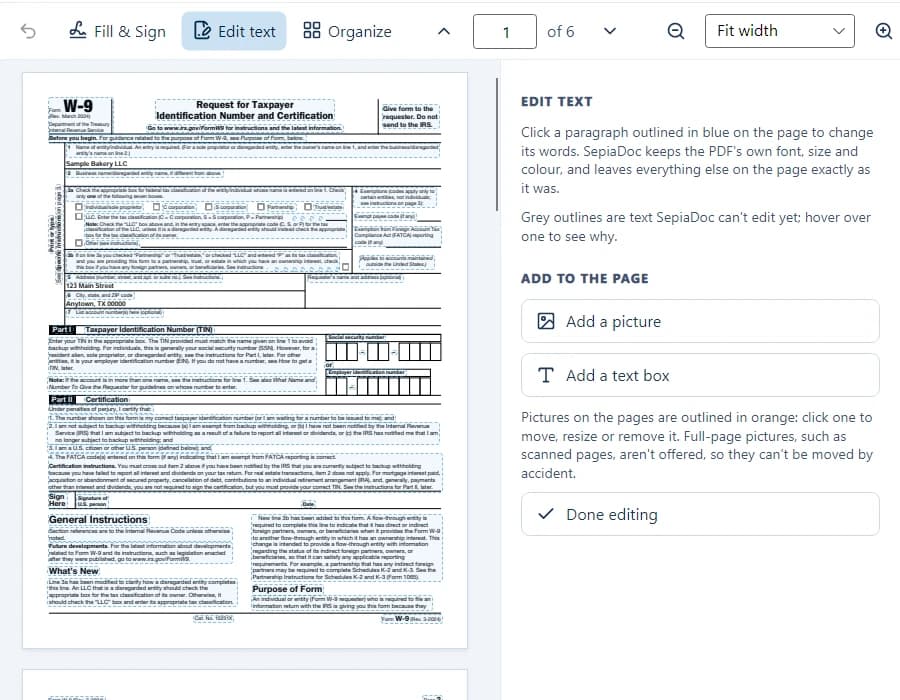
SepiaDoc editing the text of a W-9 form, each paragraph outlined and the Edit text panel open
02 / Fill & sign

Any form. Any signature.

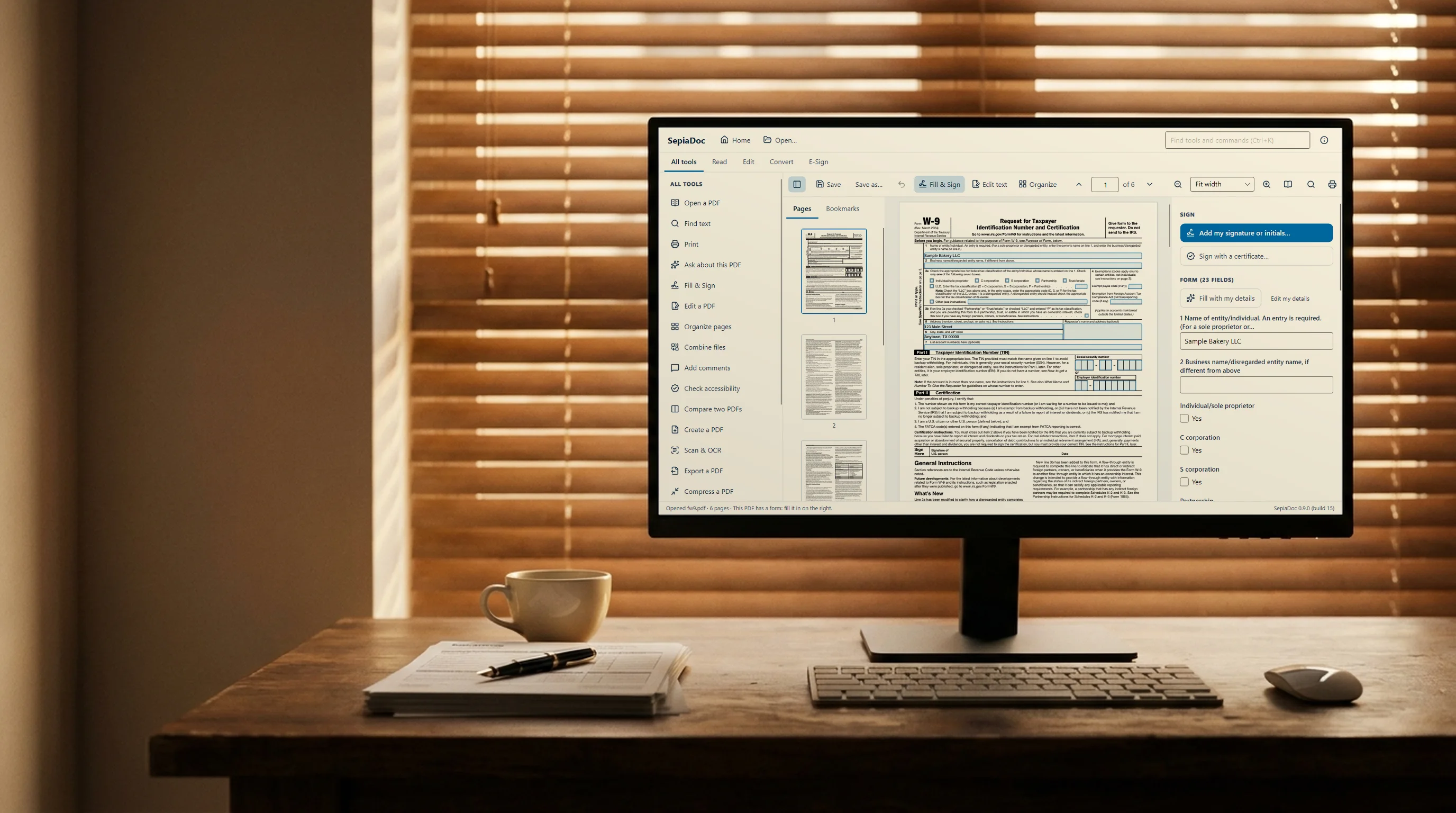
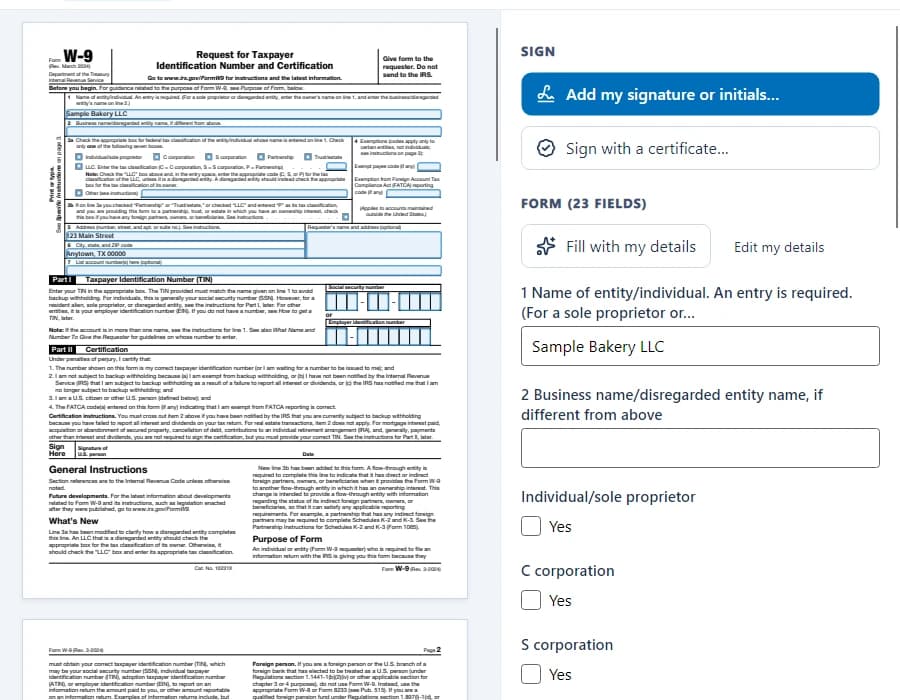
Complete any form, even if the fields are labeled only with codes. You can add your signature by drawing it, typing it out, or uploading a picture of it. For documents that require one, you can also use a digital certificate to sign.

More about fill & sign
A W-9 form filled in with SepiaDoc, with the Sign panel offering a drawn, typed or certificate signature
03 / Organize

Pages, in the right order.

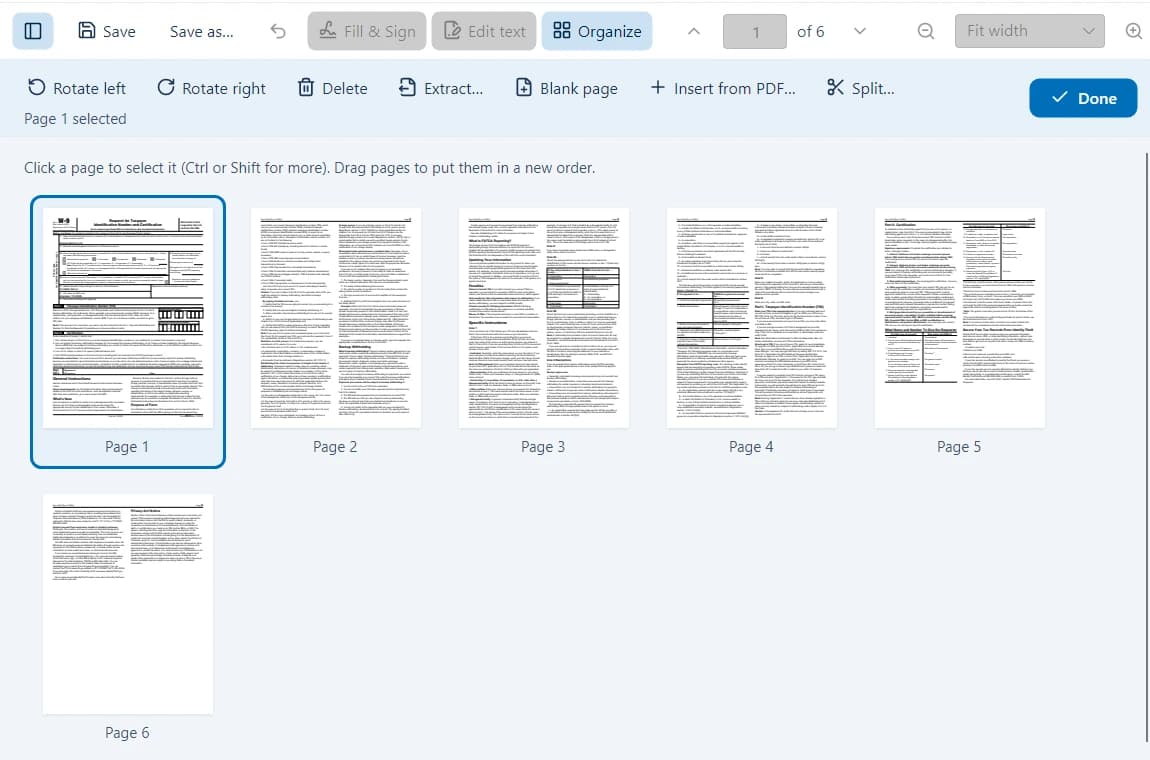
You can merge documents, break them apart, extract specific pages, rotate content, and rearrange the sequence. You can also delete or add material at any point. All edits remain reversible until you choose to save your work.

More about organize
SepiaDoc's page organizer showing six pages with rotate, delete, extract and split buttons
04 / Redact

Gone, not just covered.

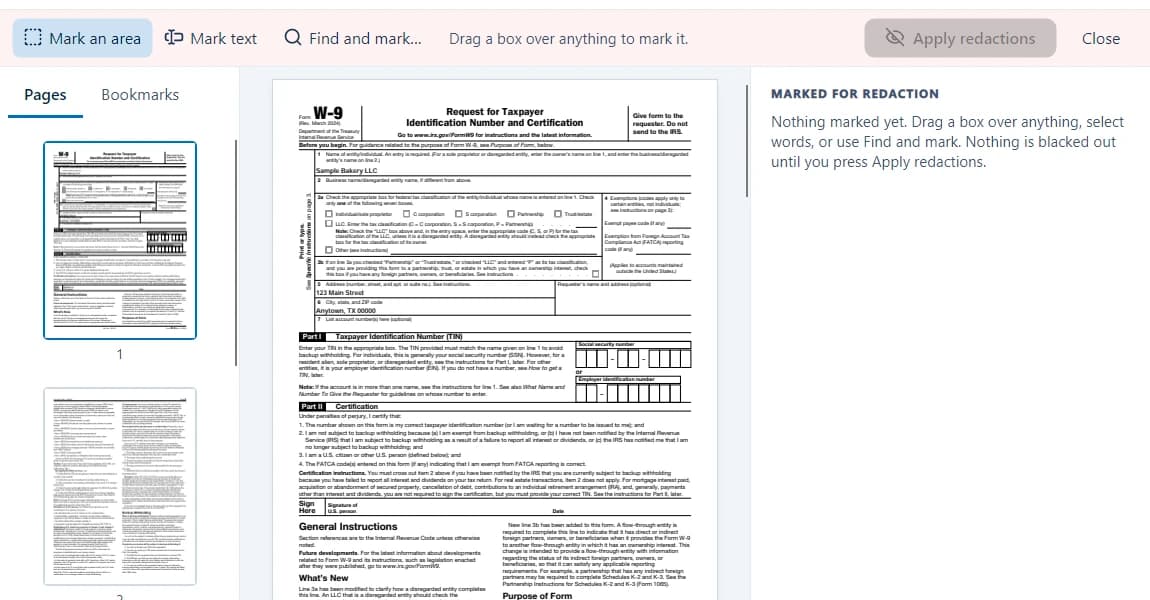
When you black out names, numbers, or entire areas, SepiaDoc makes sure they are gone for good. The software removes the redacted text along with any traces left in bookmarks, comments, or document properties.

More about redact
SepiaDoc's redaction toolbar: mark an area, mark text, or find and mark, then apply

Compare, comments, scanning, accessibility, PDF/A and the rest

Private by design

Your documents never leave your computer.

Your documents stay on your computer

SepiaDoc functions entirely offline. The text recognition relies on the engine included in Windows, while licence keys are validated directly on your machine. We never receive any of your documents. SepiaDoc connects to the internet solely when you choose Check for updates.

Fair to home users, fair to businesses

SepiaDoc lets you use every feature on a home computer, complete with no banners or time limits. When connected to a company network, the software grants businesses 30 days of full trial access. After that period, reading, searching, and printing remain active while editing and signing require a licence. You will never be locked out of your own files.

Why we built it

Made by people who fix computers for a living.

At Mako Logics, we handle IT for small businesses. We kept hearing the same frustration from people who just needed to fill in a form, sign a contract or fix a typo inside a PDF. The one tool that could do all those things required a paid subscription for every user. So we created our own solution. SepiaDoc handles everyday PDF tasks effectively. It is free for anyone using it at home. The license cost for business use is set so a ten-person office does not have to think twice about it.

Try it on the PDF that's been bugging you.